Nunc MCP & ConnectorsSaaS OAuth · SQL Warehouses · Federated MCP · Sidecar
Connector Catalog & Setup
Connect your organization's systems once in Console → Build → Integrations. Every connected SaaS app and SQL warehouse becomes available under a single default-deny policy engine across Data Studio Web, /mcp, /mcp/analytics, Slack/Teams, and @nunc/sdk.
1. Connect an integration in three steps
- Enable in Console: Open Console → Build → Integrations and select a SaaS connector (e.g. Microsoft Outlook, Salesforce, Sage Intacct, Slack), a SQL warehouse (Snowflake, PostgreSQL, BigQuery), or + Federated HTTP/SSE for an internal MCP server.
- Bind credentials: Choose Organization-Shared credentials for warehouses and ERPs, or Per-User OAuth 2.1 for personal mailboxes, calendars, and code repositories so each user queries only their own upstream permissions.
- Scope tables & grant PBAC: For databases, set each table to
Allow Agent,Scope to User, orBlock. Then open Organization → Access to set read tools toAllowand write tools toGate.
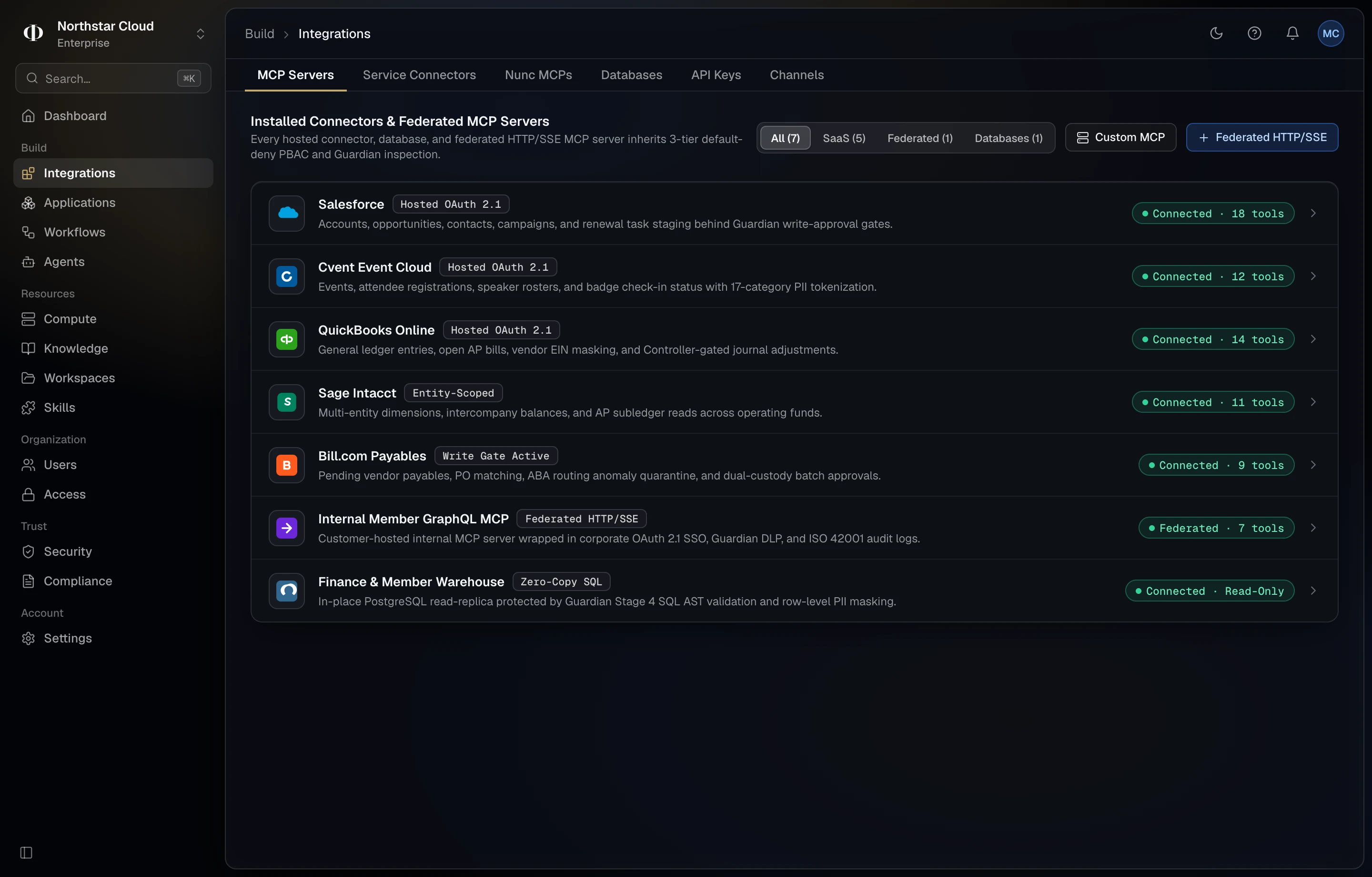
2. Integration categories & credential modes
| Category | Examples | Credential Model | MCP Endpoint |
|---|---|---|---|
| Personal Productivity & Code | Microsoft Outlook, Gmail, Google Drive, OneDrive, Calendar, GitHub, Jira, Slack | Per-User OAuth 2.1 (each employee links their own account) | /mcp |
| ERP, CRM & Billing Systems | Salesforce, Sage Intacct, QuickBooks Online, Bill.com, Stripe, Cvent | Org-Shared Vault Secret or Per-User OAuth + Write Gates | /mcp |
| Zero-Copy SQL Warehouses | Snowflake, PostgreSQL, BigQuery, ClickHouse, DuckDB | Read-only role + AST table/row scoping | /mcp/analytics |
| Federated Custom MCP & Sidecar | Internal HTTP/SSE MCP servers, macOS & Windows Sidecar tools | Upstream Bearer / mTLS + Workstation device enrollment | /mcp |
Browse individual connector tool lists on /mcp, see SQL role scripts in How Configuration Works, or walk through connecting Claude + Outlook in Connect MCP Clients.